
- Screen work is the most common daily provocation for occipital neuralgia: forward head posture loads the exact muscles the nerves pass through.
- A desk job with this condition is workable, we have done it for over a decade, but only with the geometry, the breaks and the flare protocol handled.
- The three non-negotiables: screen at eye level, a genuine interruption every 30 minutes, and acting at the first warning sign instead of pushing to the deadline.
- If work reliably manufactures your flares despite honest fixes, that pattern belongs in a conversation with a clinician and, sometimes, with your employer.
Occipital neuralgia and screen time is the collision most sufferers live inside: the condition hates sustained forward-head posture, and the modern job is nine hours of it. We have managed this exact collision for more than a decade of desk-heavy work, through deadline weeks, laptop years and every ergonomic mistake available, and the honest summary is this: screens do not have to be your flare factory, but they will be by default. The difference is a small set of habits and one afternoon of setup, laid out here as specifically as we can.
Occipital neuralgia and screen time: why they are enemies
The mechanics are unforgiving. Every inch the head drifts toward a screen multiplies the load the suboccipital muscles carry, and the greater and lesser occipital nerves thread directly through that musculature. Hold the drift for hours and the muscles clamp; clamped muscles crowd the nerves; crowded, irritated nerves deliver the jolts and burning up the back of the head that define this condition. Add the stillness of concentration, which starves the same tissue of circulation, and screen work assembles the complete flare recipe daily: load, clench, stillness, repeat. That is also the good news, because every ingredient in the recipe has a lever.
The setup: one afternoon, done properly
The full workstation geometry lives in our desk setup guide; here is the occipital-specific priority order. Screen top at eye level, always, because the low screen is this condition’s most efficient provocation: it points the skull base directly into extension-plus-load for hours. Laptop users, this means a stand and separate keyboard, no exceptions worth making. Shoulders down and elbows supported, since raised shoulders feed the trapezius tension that skull-base muscles inherit. And the chair set so the pelvis sits neutral, because the neck balances on whatever the spine below it is doing (a seat cushion rescues stubborn chairs). One occipital-specific addition: light matters more for us than for most, a screen fighting window glare pulls the head forward inch by inch across an afternoon, so kill the glare before blaming your discipline.
 What we use
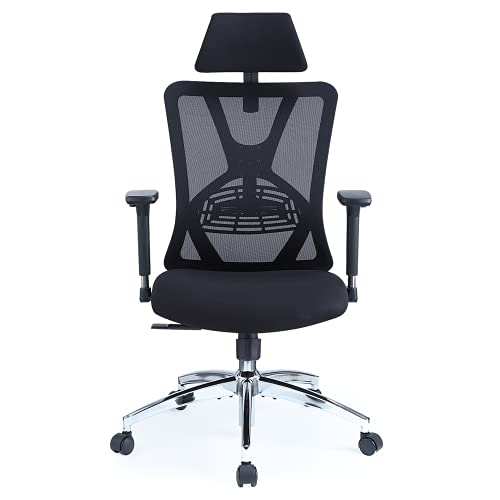
Ticova Ergonomic Office Chair
If the setup above is the fix, the chair is where it starts. Adjustable lumbar support, and a headrest you can set for both height and angle.
Check the Ticova chair on AmazonAs an Amazon Associate we may earn from qualifying purchases, at no extra cost to you.
The rhythm: breaks that actually protect
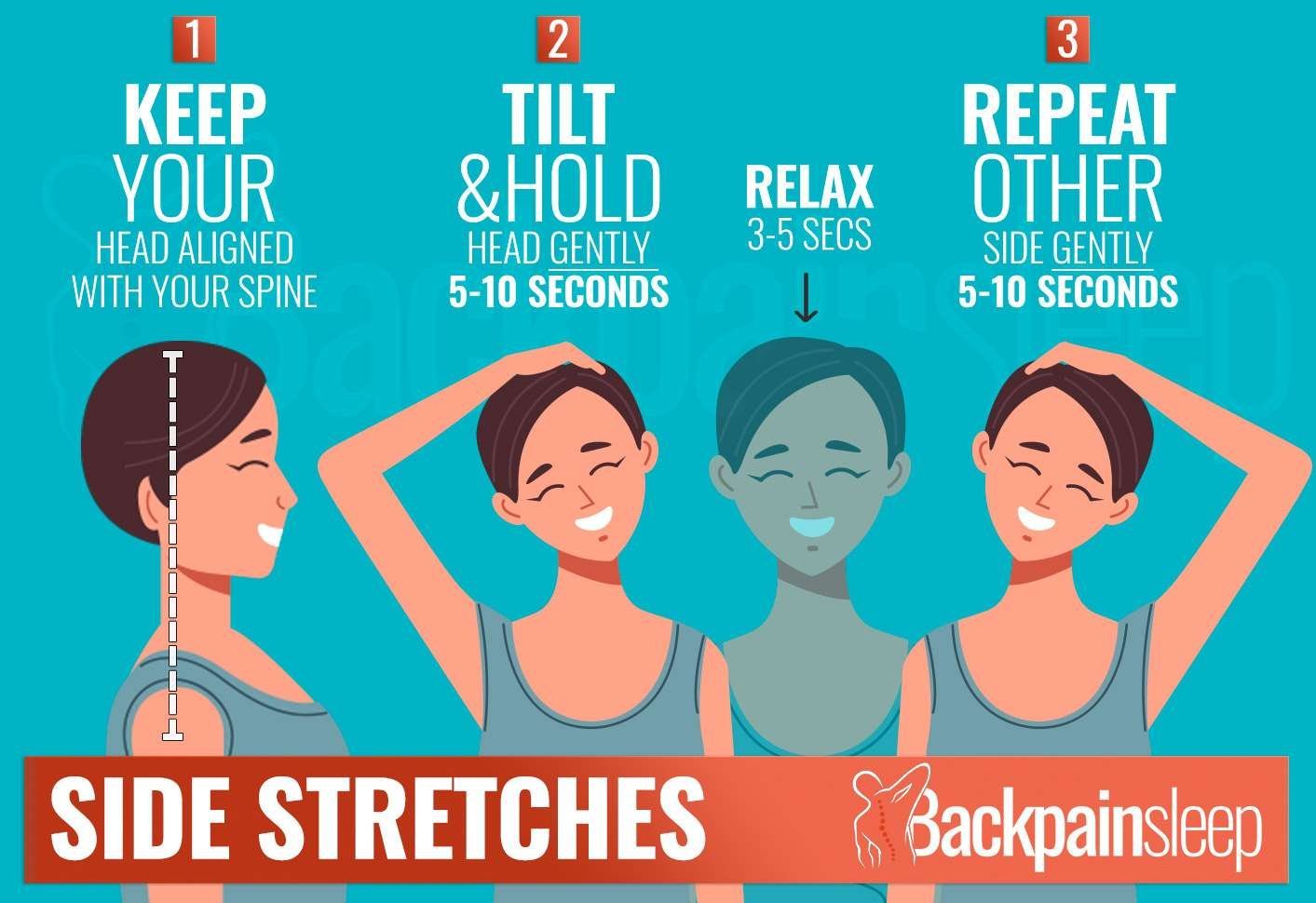
With this condition the break schedule is not wellness advice, it’s flare prevention. The pattern that has kept us working: every 30 minutes, a thirty-second reset, stand or sit tall, let the arms hang, drop the shoulders deliberately, look at something distant. Every two hours, two real minutes: walk, slow shoulder rolls, a few gentle chin tucks. And on loaded days, a twenty-minute heat session at the desk in the late afternoon, before the tightness consolidates, the wrap lives within arm’s reach precisely so the decision requires no willpower (our wrap roundup covers the options). Timers over intentions, always; concentration eats intentions for breakfast. If your work culture makes half-hourly interruptions feel impossible, start with the two-hour version and defend it like a meeting, because a three-day flare costs any employer more than every break on this page combined.
The early-warning protocol
Desk flares announce themselves: the specific tightness gathering at the skull base, the urge to knead under the skull, sometimes the first exploratory tingle up the scalp. What you do in that ten-minute window decides the week. The protocol that works: save the document, run the heat, do sixty seconds of the gentlest mobility, then triage the remaining day, screen tasks that can become calls become calls, the deadline gets an honest look, and the evening gets protected (no sofa-scroll chaser on a warning day). Pushing through the warning to the end of the sprint is the single most expensive habit in desk-bound occipital neuralgia, and we say that as people who paid the tuition repeatedly before learning it. The full escalation sequence, including the night that follows, is in the flare-up kit and the sleep guide.
A realistic desk day, mapped
For calibration, here is the shape of a well-managed screen day with this condition. Morning: sixty seconds of gentle rotations and chin tucks before the first email, screen checked at eye level (it drifts, things get moved), timer running from the first sit. Midday: the longest movement of the day, a real walk, even ten minutes, because the afternoon is where flares are manufactured. Afternoon: the half-hourly resets held with more discipline, not less, as concentration deepens, and the heat wrap deployed at the first hint of gathering tightness rather than at five o’clock when it has already won. Evening: a deliberate posture change of scene, the phone held up rather than down, and the night setup ready before tiredness makes decisions. None of it’s dramatic, and that is the entire point: this condition is managed in thirty-second increments, dozens of times a day, until the increments become invisible and the flares become rare.
Meetings, laptops and the road
The edge cases deserve their own habits. Video calls: raise the camera and screen together, and treat back-to-back call blocks as the posture hazard they are, one in three taken standing or walking changes the day’s arithmetic. Working from the sofa or bed: honestly, do not, the laptop-in-lap posture is the worst regularly-available position for this condition, and twenty minutes of it can undo a disciplined day. Travel and cafe days: pack the laptop stand (light ones exist for exactly this), claim the table with your back to the window, and accept a shorter, more interrupted work rhythm as the price of a portable office. Whatever the venue, the rule stays constant: eyes level, shoulders down, and never more than half an hour without the reset.
When work keeps winning anyway
If flares keep tracking your work weeks despite honest geometry, rhythm and early response, escalate on two fronts. Clinically: a pattern this reliable is exactly what a doctor or physical therapist can work with, and persistent cases have options beyond self-care, from targeted therapy to nerve blocks. Practically: most employers can accommodate a monitor arm, a better chair, or a schedule with movement built in, and a short letter from a clinician turns that conversation from favor-asking into standard workplace adjustment. Neither conversation is an admission of defeat; both are what managing a real condition around a real job actually looks like.
Frequently asked questions
Can computer work cause occipital neuralgia?
Screen posture is one of the most common aggravators and, over years, a plausible contributor: sustained forward-head positions overload the muscles the occipital nerves pass through. For those who already have the condition, unmanaged desk work is typically the most reliable daily trigger.
How often should I take breaks with occipital neuralgia?
A thirty-second posture reset every 30 minutes and two genuine movement minutes every two hours is the rhythm that works for us and matches standard guidance. On flare-risk days, add an afternoon heat session before tightness peaks.
Is a standing desk worth it for this condition?
As a variety tool, yes; as a cure, no. Standing with a low screen punishes the skull base exactly as sitting does. Alternate positions every 45 to 60 minutes and hold the same eye-level rule in both.
Should I stop working at screens entirely?
For most people that is neither necessary nor realistic. A decade of desk work with this condition has taught us the workable formula: geometry, rhythm, early response, and protected nights. Screens are a manageable load, not a forbidden one, but only when actually managed.
The health information in this guide is supported by the trusted medical sources below. It’s general information, not a diagnosis or medical advice. See our medical disclaimer.
Sources and further reading
Was this guide helpful?
Thank you. Your feedback helps us improve.